ForgeGUI AI Features: A 2026 Honest Review for Roblox
A feature-by-feature audit of ForgeGUI in 2026: what the thumbnail, GUI, avatar, and 3D generators finish, where each one stops, and whether the ten-model menu changes your results.
Feature lists are written by marketing teams. This one is written by asking a narrower question of each generator: when it finishes, what is left on your plate?
ForgeGUI ships four generators behind one control bar. They are not equally strong, and two of them are routinely misunderstood by people who buy the tool expecting an export it never promised. Below is each one, what it hands you, and the work that remains.
How this was checked: the public ForgeGUI product and pricing pages on September 2, 2026, plus hands-on runs of the same four asset types in the sibling workspace at GFX Forge, which shares the generation controls. Prices and model menus change; the date is the point.
Key takeaways
- The thumbnail generator is the strongest of the four and the easiest to justify.
- The GUI generator produces a specification, not an interface. This is the most common misunderstanding about the product.
- The avatar generator is a decision tool, not a character rig.
- 3D is a real reconstruction task at 120 credits, refunded when it fails, and it answers "is this shape worth building" rather than "here is a shipped asset".
- The ten-model menu is a genuine differentiator, and it matters less than a sharper prompt.
The control bar is the actual product
Before the individual generators, the thing they share. One row carries four decisions: asset type (Thumbnail, GUI, Avatar, 3D), platform look (Roblox, Minecraft, Unity, Fortnite), style preset (Auto, Horror, Cartoony, Anime, Survival), and — on ForgeGUI specifically — the image model.
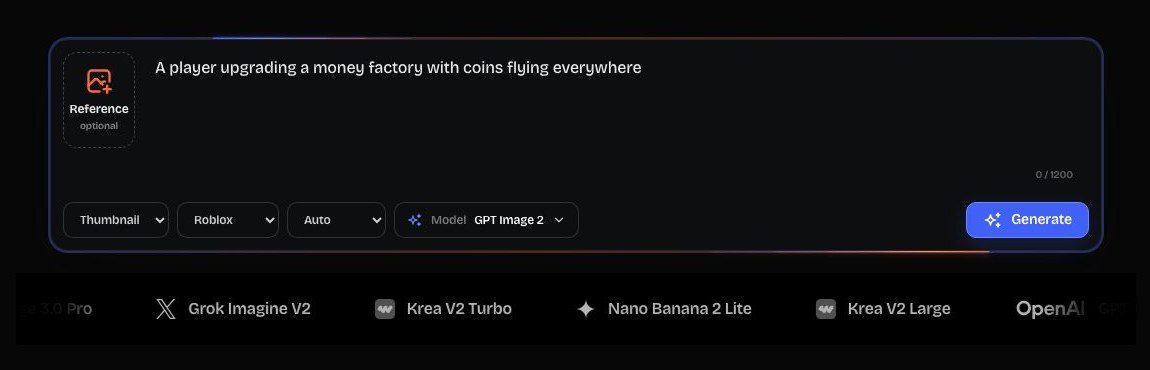
The platform selector is doing more work than it looks like it is. Asking for "a Roblox-style character" inside a general image tool gets you a guess. Selecting Roblox here changes the proportions, the surface language, and the staging conventions the output is built from. The same is true for the voxel look under Minecraft and the low-poly one under Unity.
That is the real reason a game-asset generator beats a general one for this job, and it has nothing to do with which diffusion model is underneath.
1. Thumbnails: the clearest win
This is where the tool pays for itself. A thumbnail has one job — communicate the game's promise at the size of a phone icon — and the loop of writing a brief, looking at a result, and trying a different angle is exactly the loop that used to cost a day of an artist's time per direction.
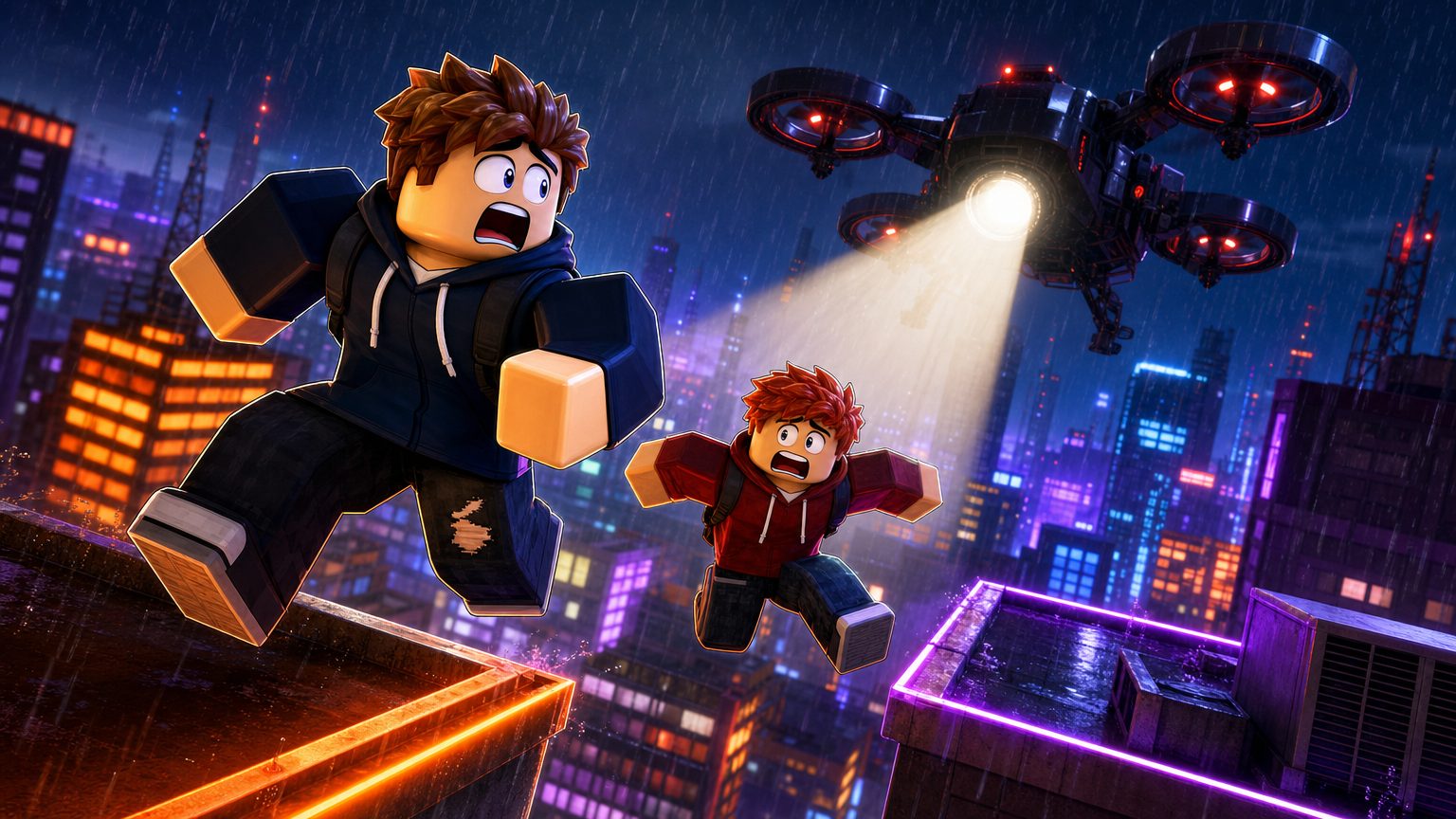
The image at the top of this review came out of exactly that loop: two players, one threat, one light source, one attempt.
What it finishes: a publishable image, at download resolution, without a watermark on paid tiers.
What is left on your plate: the judgement. The generator will happily give you a beautiful frame that reads as grey mush at 256 pixels wide. Shrink every candidate to icon size before you fall in love with it. That test kills more frames than any prompt problem.
The honest limit: it will not tell you which thumbnail earns clicks. It lowers the cost of having five candidates instead of one, and the decision stays yours.
2. GUI: a specification, not an interface
Read this section before buying if interfaces are why you are here.
The GUI generator produces an image of an interface: panel hierarchy, spacing, the visual weight of a primary action, where the currency sits, what an item card looks like with a stat block in it.
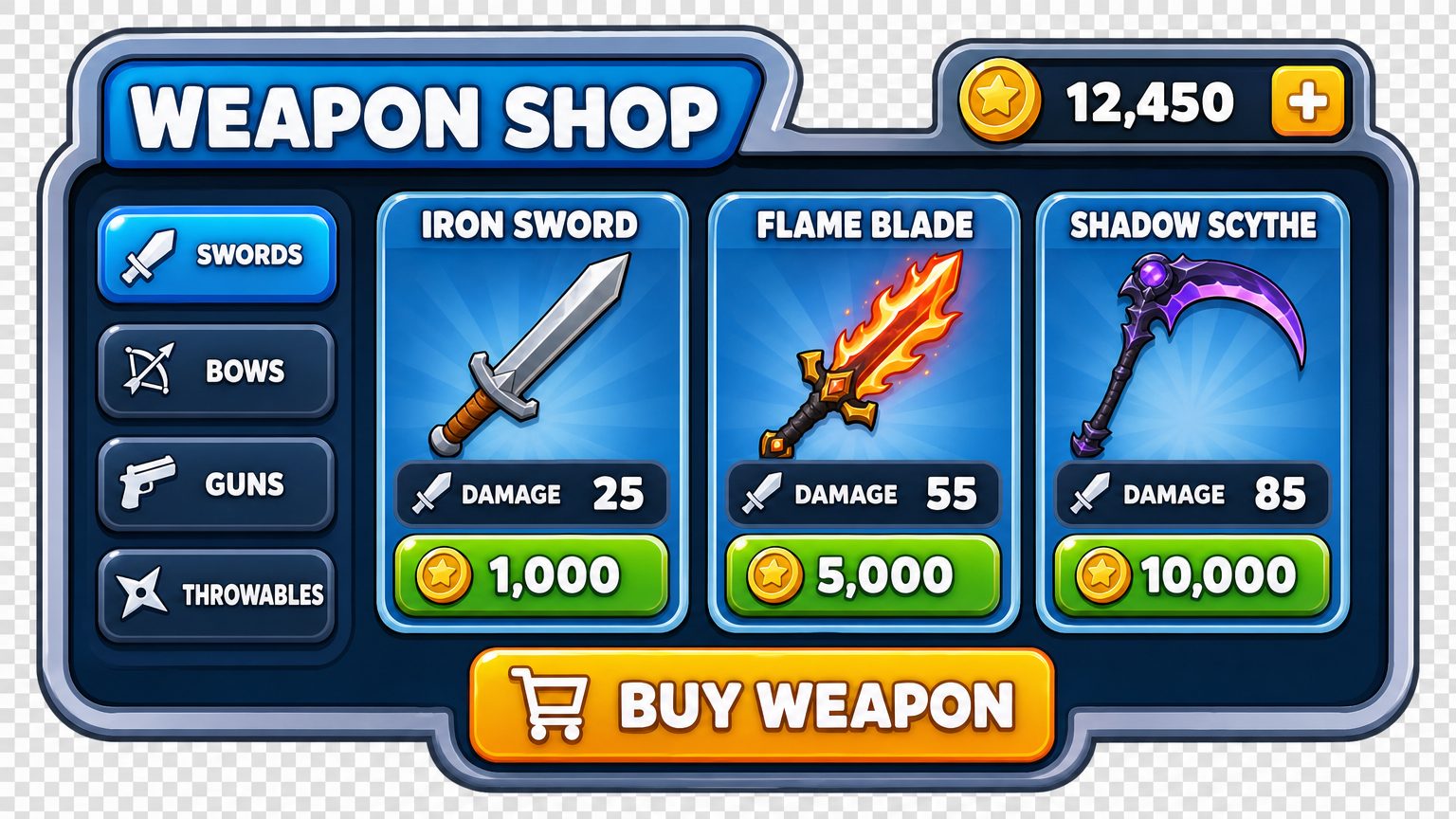
What it finishes: a visual target a developer can build against, and an argument-ender in a design discussion.
One quirk to budget for: the panel above arrived sitting on a checkerboard that mimics a transparent background without being one. Those squares are painted into the pixels, so cutting the panel out is still a manual job.
What is left on your plate: all of the implementation. There is no Luau in that image, no ScreenGui, no anchor points, no scaling behaviour, no controller focus order. If your handoff is "make it look like this", the artifact is perfect. If your handoff is "put this in the game", the artifact is a picture and you need a developer or a code-generating tool such as BloxSmith.
I do not treat this as a weakness — a spec is a legitimate deliverable and cheaper to iterate on than code. It is a weakness only when the buyer expected something else, which happens often enough to be worth a paragraph.
3. Avatars: making a character decision visible
The avatar generator turns a written character idea into a full-body concept — silhouette, palette, the accessory that carries the personality.
What it finishes: a picture that ends a vague conversation. "Celestial repair engineer" means nothing until two people are looking at the same coat.
What is left on your plate: everything Roblox needs. No rig, no bundle, no catalog items, no animation. It informs what you assemble or commission; it does not assemble it.
4. 3D: a real task with a real price
The 3D path is the one people assume is a placeholder. It is not. A task produces a reference render first, then reconstructed geometry built from it, and both artifacts are useful — you can judge the render immediately and the mesh on its own terms.
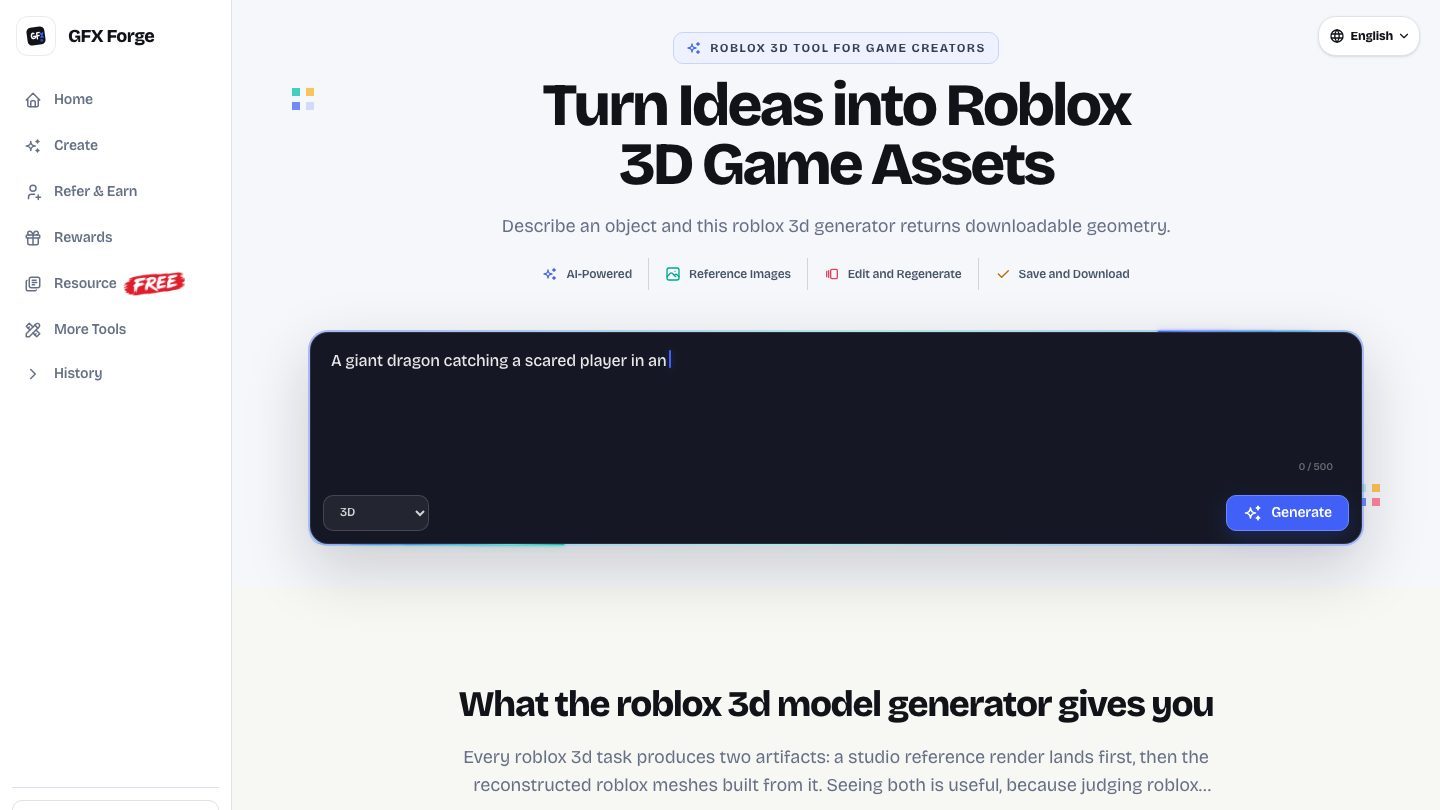
What it finishes: downloadable geometry you can look at, rotate, and hand to a modeller as a shape you have both already agreed on.
What is left on your plate: topology, optimisation, rigging, animation, and the Studio import itself. Nothing writes into your experience on its own.
The price: 120 credits per task, twelve times an image, and a failed task refunds automatically. That refund policy is the detail that makes the feature usable — an unlucky prompt costs you the wait, not the balance. Tasks also run server-side, so you can close the tab.
Does the ten-model menu actually change results?
This is ForgeGUI's one structural advantage over its siblings, so it deserves a straight answer: sometimes, and less than a better brief does.
Running the same prompt through two engines gives you two competent interpretations of the same idea. That is genuinely useful when a brief is stylistically ambiguous and you want a second opinion without rewriting anything. It is not useful when the first result failed because the brief said "cool horror game thumbnail" and gave the model nothing to stage.
If model control appeals to you, ForgeGUI is the sibling that offers it. If another dropdown is one more thing to fiddle with at 1am, GFX Forge runs one tuned path and the bar only asks about your game. Same credits, same price, same asset types.
Credits, and what a real week costs
Every image is 10 credits. On annual billing the tiers are $9.90, $19.90, and $49.90 a month (billed $118.80, $238.80, and $598.80 yearly) for 1,000, 4,000, and 10,000 credits a month; monthly billing runs $14.90, $39.90, and $99.90.
Translate that into a working week instead of a spreadsheet. A game update with one hero thumbnail, three alternates for testing, two interface concepts, and a 3D prop draft costs roughly 60 credits of images plus a 120-credit 3D task. Even the smallest tier absorbs several of those weeks a month, which is why the biggest tier is a volume decision, not a quality one — the output is identical.
Where it stops
- It does not build, script, or publish anything.
- It does not export interfaces as code.
- It does not produce rigged or animated characters.
- It does not clear your assets through Roblox moderation.
- It does not replace Studio or Blender; it shortens the distance to them.
Frequently asked questions
Does ForgeGUI generate working Roblox interfaces?
No. The GUI generator returns an image of an interface. For UI that exists inside Studio, look at BloxSmith, and review the generated code the way you would review any contribution.
Can I use my own reference image?
Yes. Reference input is part of the same flow, and it is the fastest way to keep a series of assets visually consistent.
Is the 3D output production-ready?
No, and the product does not claim it is. It is a draft you can inspect and hand off. Rigging, optimisation, and import remain yours.
Can I use the results commercially?
Paid tiers describe a private, commercial-use workflow with no watermarks. Your own obligation is unchanged: whatever you upload still has to satisfy Roblox's rules.
Do I need to pay to try it?
No. A free account is enough to run the image side and decide whether the workflow fits before any card comes out.
Verdict
ForgeGUI is a strong thumbnail tool, a good interface-concept tool, a useful avatar decision tool, and an honest 3D drafting tool — in that order. The model menu is a real differentiator for people who like to drive; everyone else gets the same output from its siblings without the extra dropdown.
The way to be disappointed by it is to expect an export it never advertised. The way to get value from it is to treat every generator as the front half of a handoff and to know exactly who picks up the back half.
Want the same four generators without the model dropdown? Start with a free account, or look at the 3D pipeline first if that is the part you are unsure about.