ForgeGUI Alternatives for Roblox Creators
Five ForgeGUI alternatives compared by the artifact each one hands you: a marketing image, an interface spec, working Studio UI, or a 3D asset you can finish. Prices verified September 2, 2026.
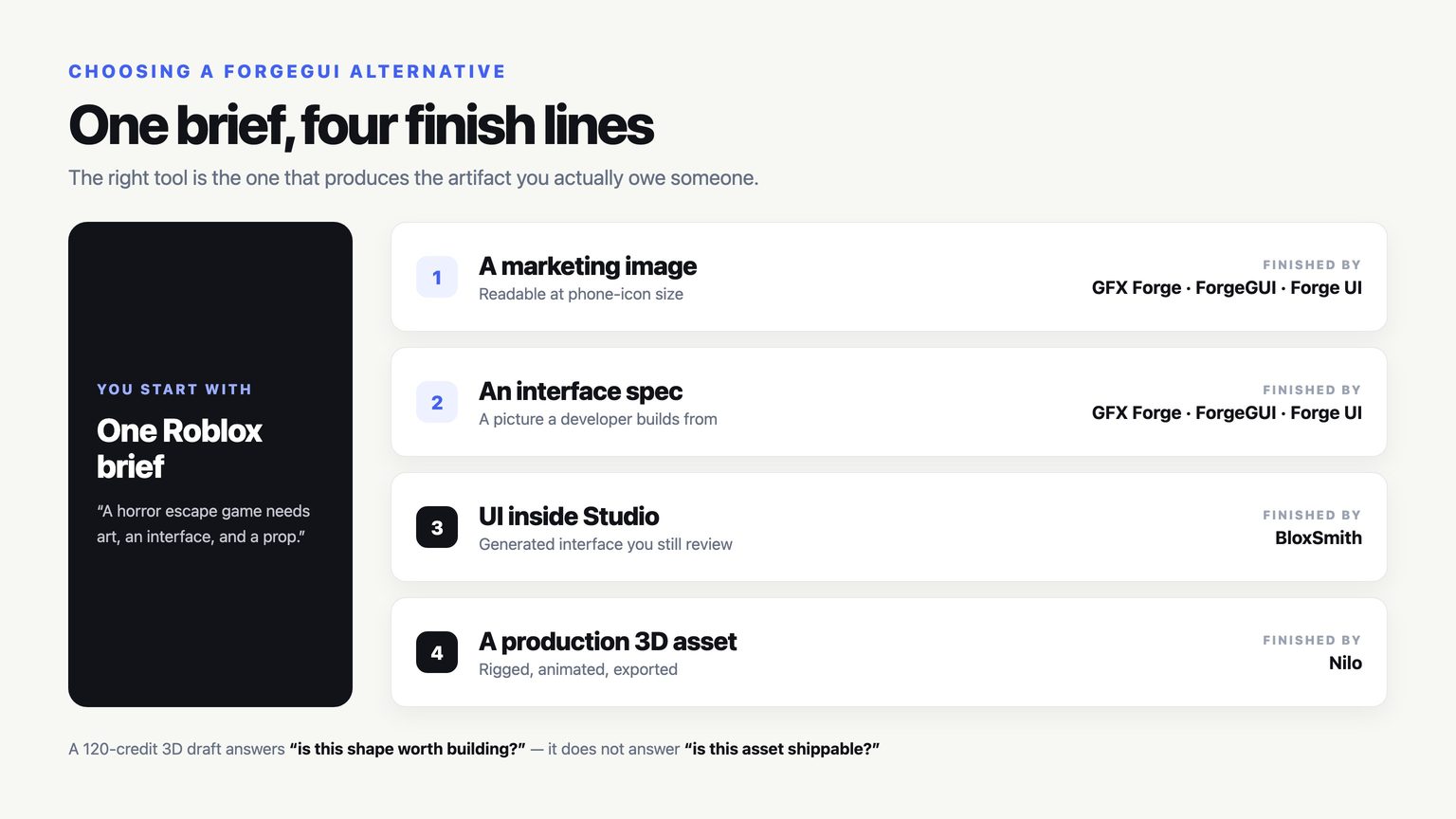
Most "best alternative" lists rank tools as if they all finish the same job. They do not. The five products below stop at four completely different places, and the one you should pick depends entirely on what you have to hand to somebody else at the end of the afternoon.
So this comparison is organised around the artifact, not the feature grid. A marketing image, an interface specification, working Luau inside Studio, and a riggable 3D asset are four separate deliverables. A tool that is excellent at one of them will look weak at the other three, and that is not a flaw.
How this was checked: I opened the public product and pricing pages of every tool listed here on September 2, 2026, and every number quoted below was read off those pages on that date. Promotional prices move constantly — Nilo's tiers were half price the day I looked — so treat the figures as a snapshot with a date attached, not a permanent quote.
Start here: what do you owe someone?
| You need to hand over | Reach for | It stops at |
|---|---|---|
| A game image that survives a phone-sized icon | GFX Forge, ForgeGUI, or Forge UI | A finished image file |
| A picture of the interface a developer will build | GFX Forge, ForgeGUI, or Forge UI | A visual spec, not code |
| An interface that exists inside Roblox Studio | BloxSmith | UI and Luau you still review |
| A 3D asset that gets rigged, animated, and shipped | Nilo | A production 3D pipeline |
| A first 3D draft to prove a shape is worth building | GFX Forge or ForgeGUI | Downloadable geometry |
If a row above already answered your question, the rest of this article is detail. If two rows apply, you need two tools, and that is the normal outcome.
Where ForgeGUI actually sits
ForgeGUI is a browser workspace that turns a prompt or a reference image into one of four asset types: a thumbnail, a GUI concept, an avatar, or a 3D draft. A single control bar carries the asset type, the platform look (Roblox, Minecraft, Unity, or Fortnite), a style preset, and — this is the part that distinguishes it — a model menu.
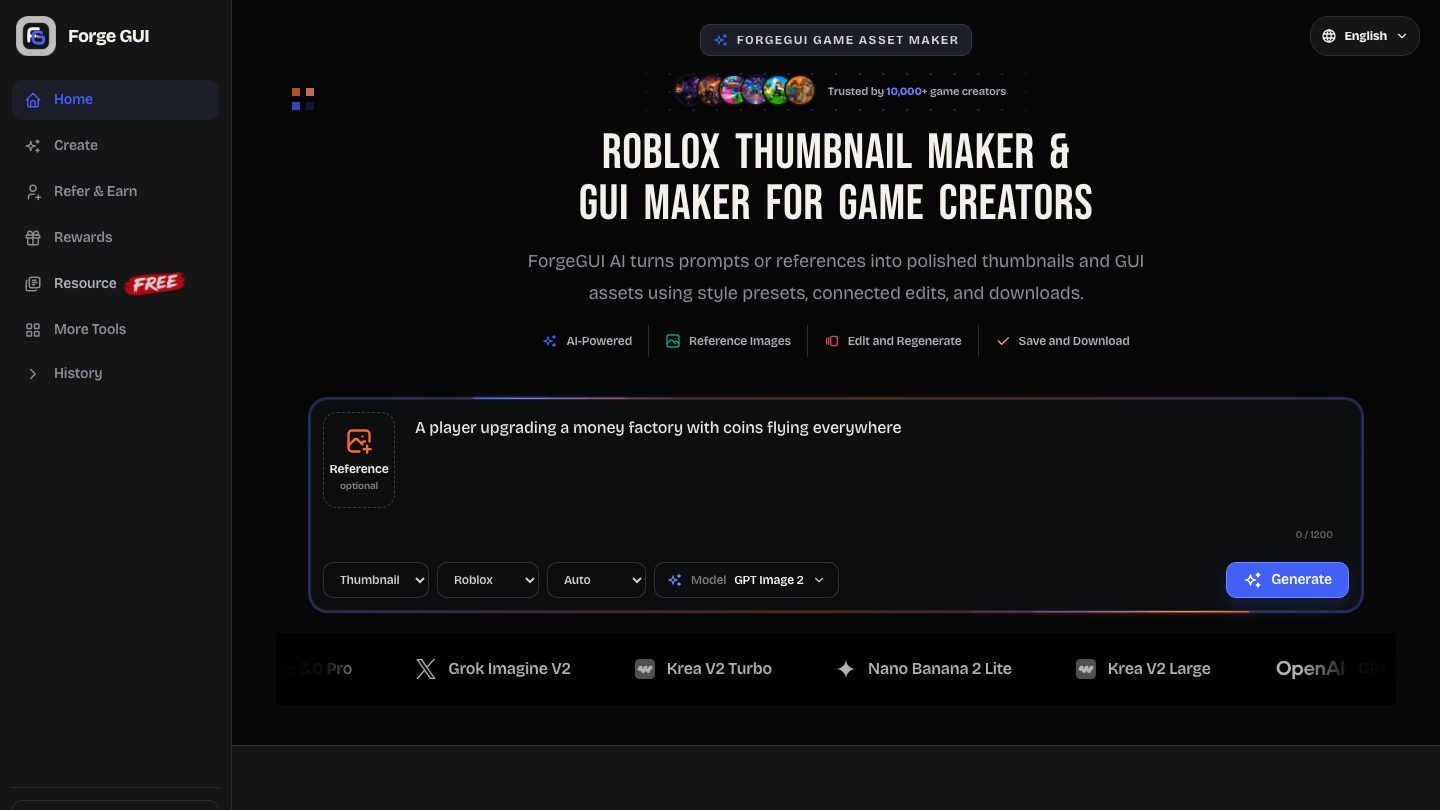
On the review date that menu listed ten engines: GPT Image 2, Seedream V5 Pro, Nano Banana Pro, Nano Banana 2, Qwen Image 3.0, Qwen Image 3.0 Pro, Grok Imagine V2, Krea V2 Turbo, Nano Banana 2 Lite, and Krea V2 Large. Pricing was $9.90, $19.90, and $49.90 a month on annual billing (billed $118.80, $238.80, and $598.80 for the year), $14.90, $39.90, and $99.90 on monthly billing, with every image costing 10 credits.
That model menu is the honest headline. If you like driving the engine yourself — running the same brief through two models and keeping the better frame — ForgeGUI gives you that switch and nobody else in this comparison does.
GFX Forge: the same workflow with one tuned path
I should be straightforward about this, because you will notice it within ten seconds of opening both tabs: GFX Forge is a sibling product to ForgeGUI. Same four asset types, same four platform looks, the same five style presets (Auto, Horror, Cartoony, Anime, Survival), the same 10-credit image and the same prices. Anyone telling you one of them is four times better than the other is selling something.
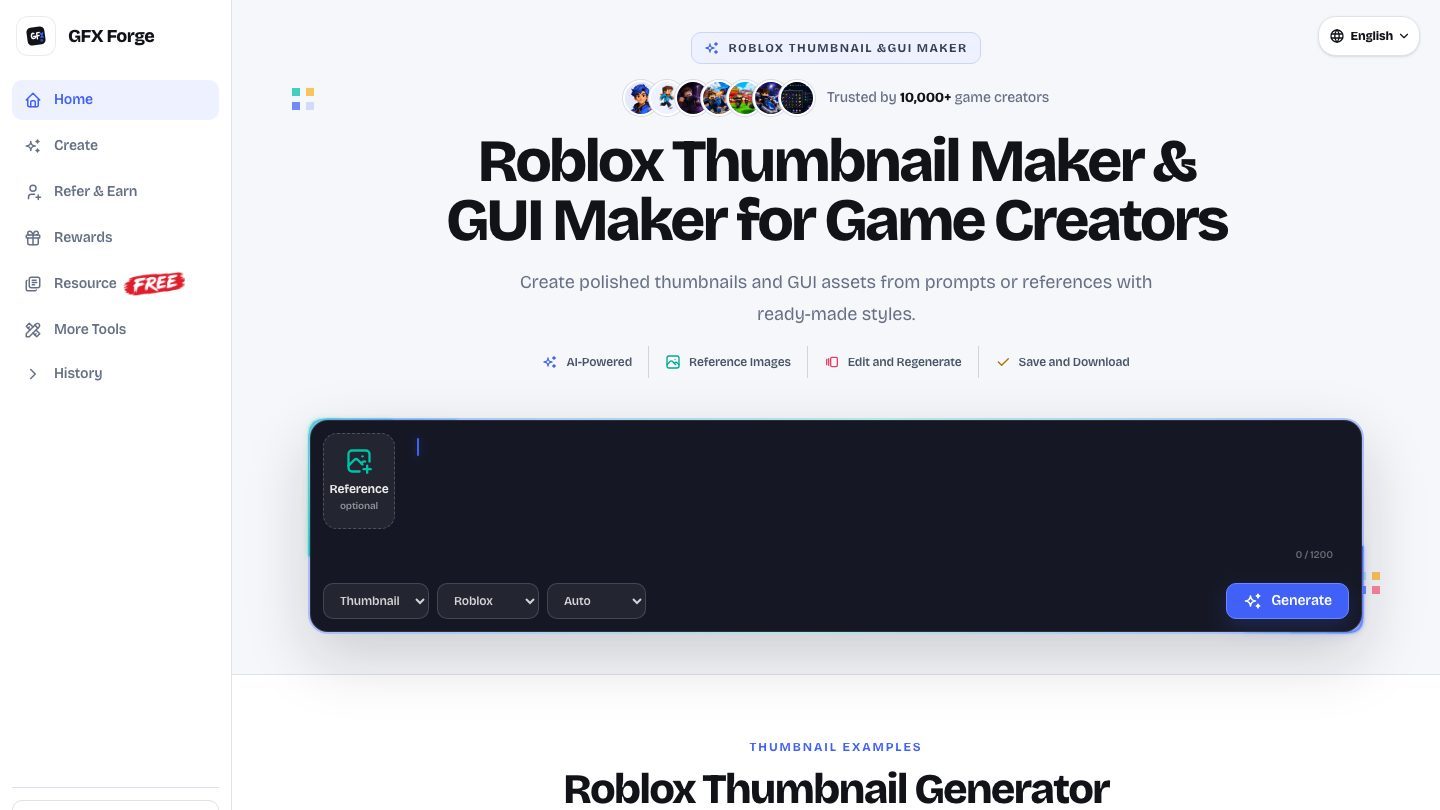
The real difference is the model control, and it cuts both ways. GFX Forge does not show you a model menu. One tuned pipeline handles the brief, and the only decisions left on the bar are the ones about your game: what am I making, which platform does it need to look like, what mood is it in.
Pick GFX Forge if model selection is a distraction you would rather not have during a busy week — you write the brief, you get the image, you iterate on the image instead of second-guessing the engine. Pick ForgeGUI if you actively want to A/B two engines on the same prompt. Both are defensible. Neither is a capability gap.
Two details that matter more than the model question, and that both siblings share: 3D runs as a real reconstruction task at 120 credits, and a failed task refunds those credits automatically. Also, a free account is enough to find out whether any of this suits you before a card comes out.
Forge UI: the third sibling
Forge UI rounds out the family. Same control bar, same asset coverage, same platform presets. Like GFX Forge, it keeps a single generation path rather than exposing engines.
If you have already tried one of the three and it did not fit, trying the other two will not change the outcome much — they are variations on one workflow, not three different answers. When one of these three does not solve your problem, the problem is usually that you needed code or a production 3D asset, which is what the next two sections are about.
BloxSmith: when the interface has to exist in Studio
BloxSmith is the first genuinely different answer on this list. It describes itself as AI-powered UI for Roblox Studio: you write the interface in plain English, it generates the UI with curated style presets, and it publishes into your Studio session.
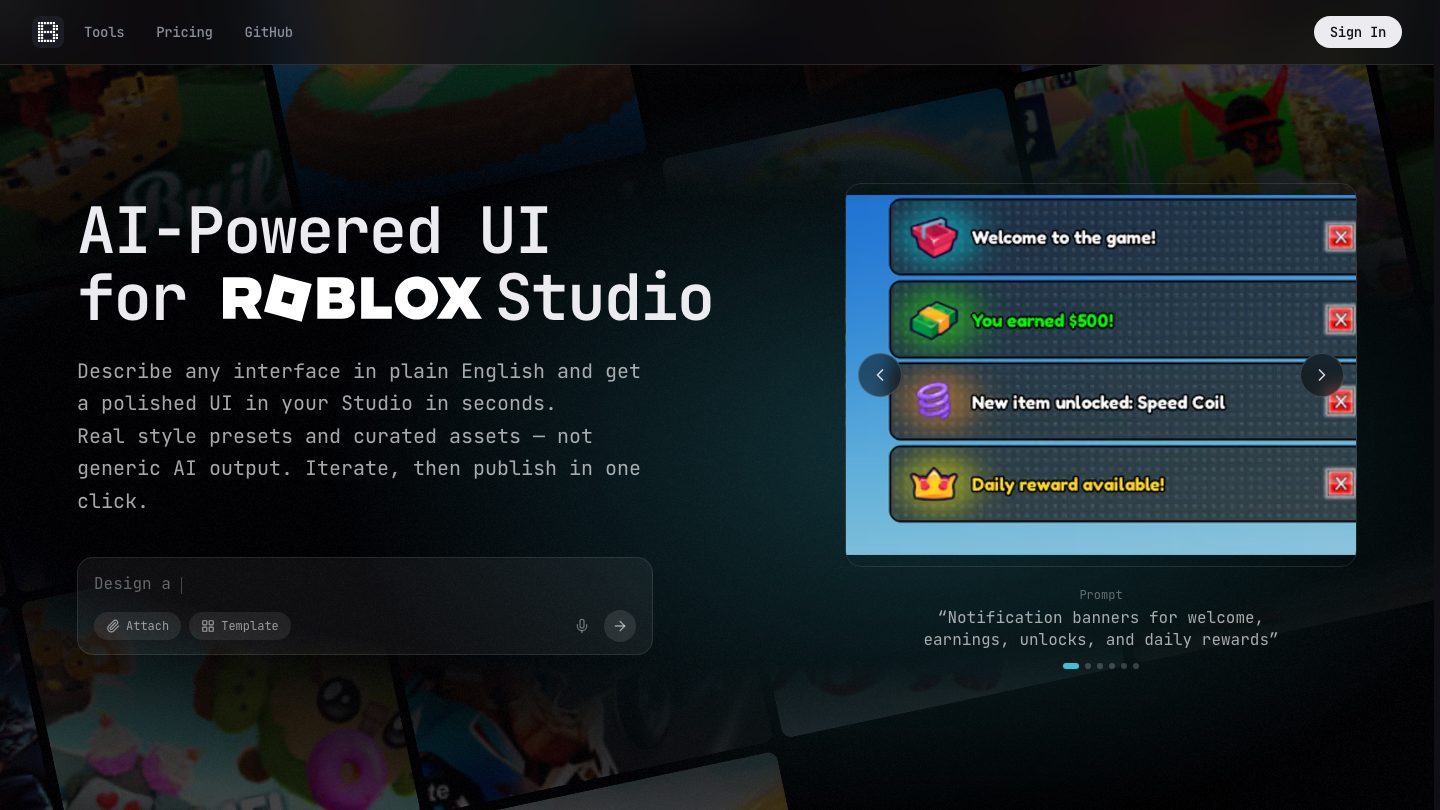
Its pricing is structured differently enough to be worth reading twice. There is no subscription. A first generation in preset styles is $0.50 per frame, and follow-up messages in the same conversation switch to token pricing. Adaptive mode — which analyses your existing UIs to match the game's style — is billed at $27.00 per million output tokens with input at $5.40 per million. Credits are bought in $5, $10, $25, and $50 top-ups, they never expire, and a first purchase of $10 or more carried a 25% bonus on the review date.
Here is the part people get wrong when they compare it against the image tools: this is not a better version of the same thing. A generated thumbnail-style GUI image is a picture of an interface. BloxSmith produces the interface. If your next step is a developer building panels, you want the picture. If your next step is the panel existing in your game, you want BloxSmith — and you still review what it generated for naming, state handling, mobile layout, and controller focus, exactly as you would review a contractor's first pass.
Nilo: when 3D has to survive production
Nilo is the specialist at the other end. Its pitch is generating, customising, animating, and exporting 3D assets for Roblox without opening Blender, and it was in open beta on the review date.
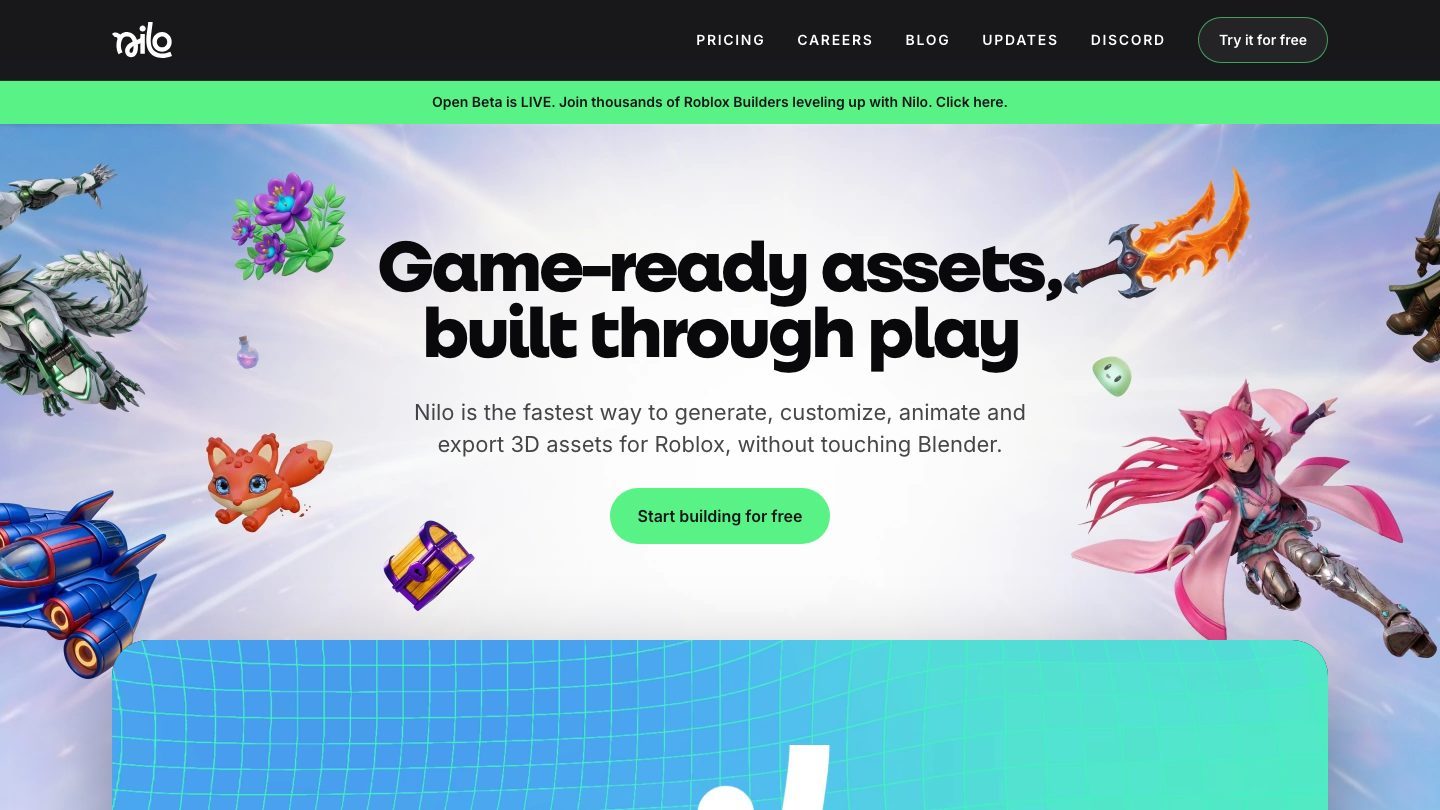
The plans run on a Bits allowance: a free Starter tier with 1,500 Bits a month on basic models, Builder at $14.99 a month (half off a $29.99 list price) with 3,000 Bits and premium models, and Pro at $37.49 a month (from $74.99) with 7,500 Bits. The site credits a16z speedrun and Supercell as backers.
The division of labour against the image tools is clean. A prompt-to-3D draft inside GFX Forge or ForgeGUI answers is this shape worth building at all — you get a reference render and reconstructed geometry you can download and look at. Nilo answers how does this become a shipped asset, which is the part involving rigging, animation, and export. Using the first to sketch and the second to finish is a perfectly sensible pipeline. Buying Nilo to decide whether a prop idea is any good is overkill.
The cost question, done properly
Subscription price is the wrong number to compare, because these tools bill for different units. Cost per asset you actually approved is the number that decides whether a tool stays in the workflow.
At 10 credits per image, the annual Pro tier at $19.90 a month with 4,000 credits works out to 400 generations a month — a little under 5 cents per generated image. That is the easy number. The honest number is higher, because you will not approve the first frame. If it takes you four attempts to get a thumbnail you would actually publish, you are at roughly 20 cents per approved thumbnail, and the way to lower that is a sharper brief, not a bigger plan.
A 3D task at 120 credits is 12 images' worth of budget, which is the right mental model for deciding when to run one. Because a failed task refunds itself, the downside of a weak 3D prompt is an afternoon, not a bill.
BloxSmith cannot be compared on the same axis, and that is fine: $0.50 for a first frame is expensive next to a 5-cent image and cheap next to an hour of a developer's time, because you are not buying a picture.
What none of them do
- None of them ship your game. Every one of these tools produces an input to a build, not a build.
- None of them guarantee clicks. A thumbnail generator improves how fast you can test directions. Whether players click is decided by your game's promise and your icon's readability at phone size.
- None of the image tools export a working interface. Read that sentence again if you were about to buy one expecting Luau.
- None of the 3D outputs arrive rigged and optimised from the image tools. That is precisely the gap Nilo exists to fill.
Frequently asked questions
What is the closest like-for-like ForgeGUI alternative?
GFX Forge or Forge UI. They cover the same four asset types at the same price with the same style presets. The switch you give up is the model menu; the thing you gain is one fewer decision per generation.
Which alternative should I use if I need real Roblox UI, not a picture?
BloxSmith. It is the only tool here that delivers an interface into Roblox Studio rather than an image of one. Budget review time for the generated code.
Which alternative is best for 3D?
Nilo, once the asset has to be rigged, animated, and shipped. For the earlier question of whether a shape is worth building, a 120-credit 3D task in GFX Forge or ForgeGUI answers it faster and refunds itself when it fails.
Are these tools affiliated with Roblox?
No. None of them are Roblox products, and anything you generate still has to satisfy Roblox's own moderation and asset rules before it appears in an experience.
The verdict
If you want the shortest possible answer: pick by handoff. Need an image or an interface spec — GFX Forge, ForgeGUI, or Forge UI, and the choice between the three is a preference about model control, not a ranking. Need the interface to exist in Studio — BloxSmith. Need the 3D asset to survive production — Nilo.
The mistake worth avoiding is buying a second subscription to solve a problem the first tool was never built to solve. Work out which artifact you are short of, then buy exactly that.
Ready to try the image and 3D side of this yourself? Open the generator, or read what the 3D pipeline actually returns before you spend the 120 credits.